Enhancing Design with Decorative Element SVG: A Guide to the Filigree Style
In today’s visually driven world, design elements play a crucial role in capturing attention and conveying messages effectively. One such element that has gained popularity for its elegance and versatility is the Decorative Element SVG, particularly those featuring a filigree style. These intricate, floral designs are not just aesthetic additions; they serve as functional tools that can elevate the sophistication of any creative project.
What is a Decorative Element SVG?
A Decorative Element SVG refers to a scalable vector graphic designed to complement or frame text, images, or other visual components. Unlike raster images, which lose quality when scaled, SVGs maintain their clarity at any size due to their mathematical foundation. This makes them ideal for digital and print projects alike, where adaptability and precision are essential.
The Filigree Style: A Touch of Elegance
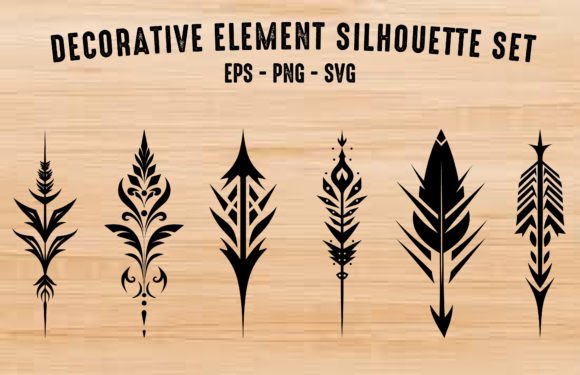
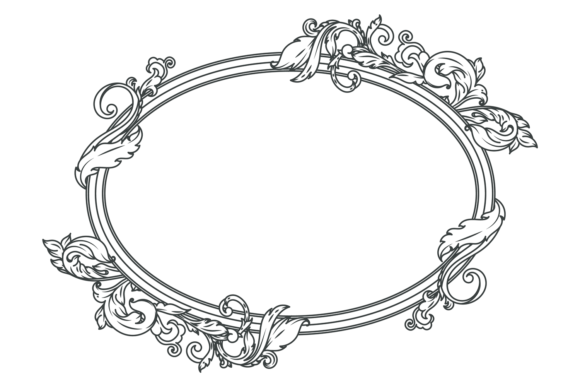
The filigree style is characterized by delicate, ornate patterns often resembling lace or intricate metalwork. When applied to SVG decorative elements, it creates a sense of refinement and artistry. These elements typically feature fine lines, swirling motifs, and floral accents that work harmoniously to add depth and character without overwhelming the primary content.
Why Choose Filigree-Style Decorative Elements?
There are several compelling reasons to incorporate filigree-style SVGs into your design workflow:
- Scalability: The vector format allows you to scale the design up or down without losing quality, making it suitable for everything from small icons to large banners.
- Customization: With SVGs, you can easily modify colors, shapes, and line thicknesses using code or design software like Adobe Illustrator or Inkscape.
- Elegance and Sophistication: The filigree style brings an air of classic beauty to modern designs, bridging traditional aesthetics with contemporary applications.
- Compatibility: SVG files are supported across most web browsers and can be embedded directly into HTML, ensuring seamless integration into digital platforms.
Real-World Applications
These elements are incredibly versatile and find use in a wide range of projects. For instance, they can be used in:
- Invitations: Whether for weddings, birthday parties, or corporate events, adding a filigree-style SVG enhances the perceived value and visual appeal of printed or digital invites.
- Cards and Stationery: Business cards, thank-you notes, and greeting cards benefit from subtle SVG backgrounds or borders that reflect professionalism and creativity.
- Brochures and Flyers: Decorative SVGs help guide the eye through layouts and create focal points that highlight key information or branding.
- Websites and Social Media: From headers to call-to-action buttons, these elements can be animated or layered to create engaging visual experiences.
How to Use Decorative Element SVG in Your Projects
Integrating a Decorative Element SVG into your work is straightforward. Here are some practical steps to get started:
- Select the Right Element: Look for SVGs that match the tone and theme of your project. A floral filigree might suit a wedding invitation better than a tech conference flyer.
- Edit Using Vector Software: Tools like Adobe Illustrator, Figma, or free options like Inkscape allow you to tweak the design to fit your needs. Adjust stroke widths, reposition elements, or change color palettes.
- Embed in HTML: If working on a website, you can embed the SVG directly into your HTML file. This ensures crisp rendering across all screen sizes and maintains loading speed.
- Layer with Other Graphics: Combine the SVG with typography or photographs to create balanced compositions. Transparency settings can help blend the filigree seamlessly with background elements.
Examples of Effective Use
Consider a fashion brand launching a new collection. By incorporating a filigree-style SVG border around product photos or promotional text, the brand can evoke a sense of luxury and craftsmanship. Similarly, an educational institution designing a brochure for a summer program may use a soft floral SVG to create a welcoming and artistic feel.
Another example is in digital marketing materials. A travel agency promoting a romantic getaway might use a filigree-style SVG overlay to enhance the mood of their banner ads or email templates. The addition of such elements can subtly influence user perception and increase engagement rates.
Advantages Over Raster Formats
While raster graphics (like JPEGs or PNGs) are common in design, they come with limitations that SVGs overcome:
- Resolution Independence: SVGs do not pixelate when resized, unlike raster images, which can become blurry or jagged.
- Smaller File Sizes: Optimized SVGs often have smaller file sizes compared to high-resolution raster images, improving website performance.
- Search Engine Optimization (SEO):strong> As XML-based files, SVGs can include metadata and text descriptions, which search engines can index more effectively than images.
- Interactivity Potential: With JavaScript or CSS, SVGs can respond to user actions, such as hover effects or animations, offering dynamic enhancements to static designs.
Design Considerations
To ensure your Decorative Element SVG serves its purpose well, consider the following:
- Contrast: Ensure the SVG complements the background and does not clash with other design elements. Subtle gradients or transparent layers can help achieve harmony.
- Placement: Avoid overusing the SVG in one area. Strategic placement—such as along the edges or behind titles—can draw attention without being distracting.
- Relevance: The design should align with the context. A gothic-style filigree may not be appropriate for a minimalist logo but could work beautifully in a vintage-themed poster.
Tools and Resources for Finding or Creating SVGs
If you're looking to source or create your own Decorative Element SVG, here are some reliable resources and tools:
- Online Marketplaces: Platforms like Etsy, Creative Market, and Envato Elements offer a wide selection of professionally designed SVGs, including those in the filigree style.
- SVG Generators: Websites such as Vectr or SVGOMG provide easy ways to generate or optimize SVG files for different uses.
- Open Source Libraries: Explore repositories like GitHub or Dribbble for free SVG assets that can be customized under open licenses.
- Graphic Design Software: Programs like Adobe Illustrator, Affinity Designer, or even Canva Pro allow you to create custom SVGs tailored to your specific project needs.
Best Practices for Implementation
Once you’ve selected or created an SVG, follow these best practices for optimal results:
- Optimize Before Publishing: Use tools like SVGOMG to reduce unnecessary data in the file, improving load times and efficiency.
- Use Proper Code Structure: Embedding SVGs inline gives you more control over styling and scripting. Alternatively, linking to external SVG files keeps your HTML cleaner.
- Test Across Devices: Always preview how the SVG appears on different screen sizes and resolutions to ensure consistency and usability.
Future Trends in Decorative SVG Design
As design trends evolve, so too do the uses of SVGs. We are seeing a rise in interactive SVGs, where users can engage with elements through hover effects, transitions, and micro-interactions. Additionally, there is a growing demand for SVGs that integrate with responsive web design principles, adapting fluidly to varying screen dimensions and orientations.
Artists and designers are also experimenting with combining traditional styles like filigree with modern minimalism. This fusion creates fresh, unique visuals that appeal to a broad audience while maintaining a timeless quality. As AI tools become more advanced, we may see increased customization options, allowing users to generate bespoke SVGs tailored to their exact specifications.
Community and Collaboration
The SVG community is vibrant and supportive, with many forums, social media groups, and tutorials available online. Engaging with this community can provide inspiration and technical insights into optimizing your Decorative Element SVG. For educators and hobbyists, collaborative projects or workshops centered around SVG creation can foster learning and innovation among participants.
Conclusion
Whether you're a professional designer, a business owner crafting marketing materials, or a hobbyist exploring new creative avenues, the Decorative Element SVG offers a powerful way to enhance your work. Its scalability, ease of modification, and elegant filigree style make it a valuable asset in both digital and print formats. By understanding how to select, edit, and implement these elements thoughtfully, you can create designs that stand out while maintaining functionality and accessibility.